 DragWheel
See it in action
How to use DragWheel and what it can do for you, in under two minutes: the wheel, Float, sticky notes, photo and PDF editing, Send to phone, and who it's for.
How it works
DragWheel sits in the system tray. You keep dragging files the way you already do; the wheel only shows up when you ask for it.
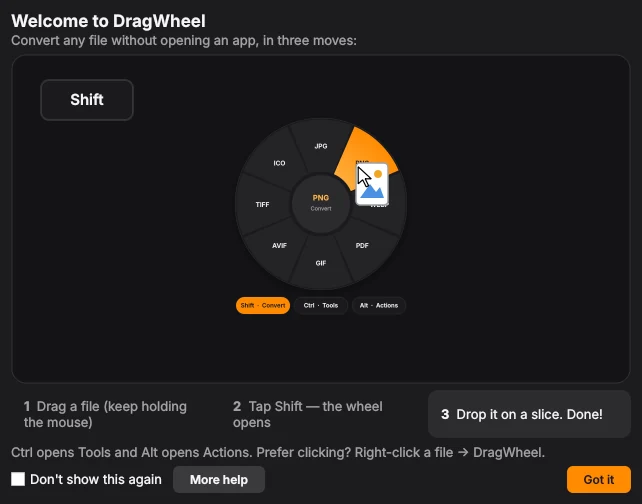
Drag a file
Pick up any file or folder in File Explorer or on the desktop, and keep holding the mouse button.
Tap a key
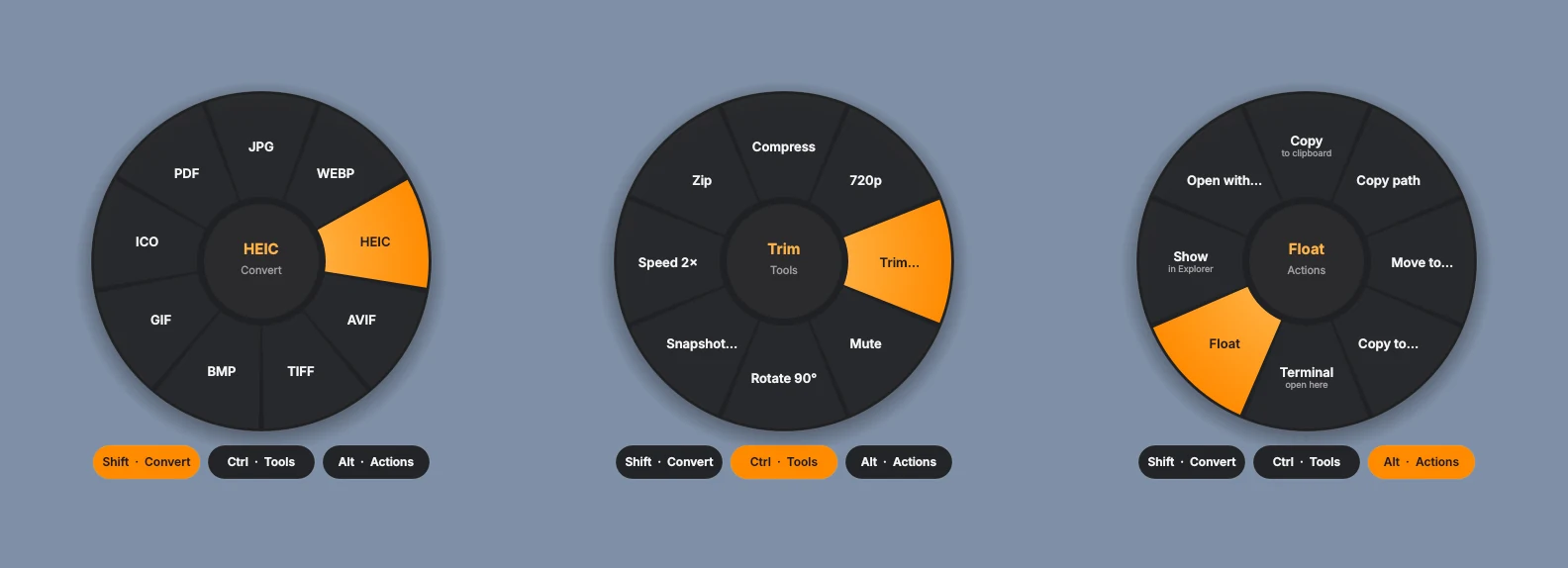
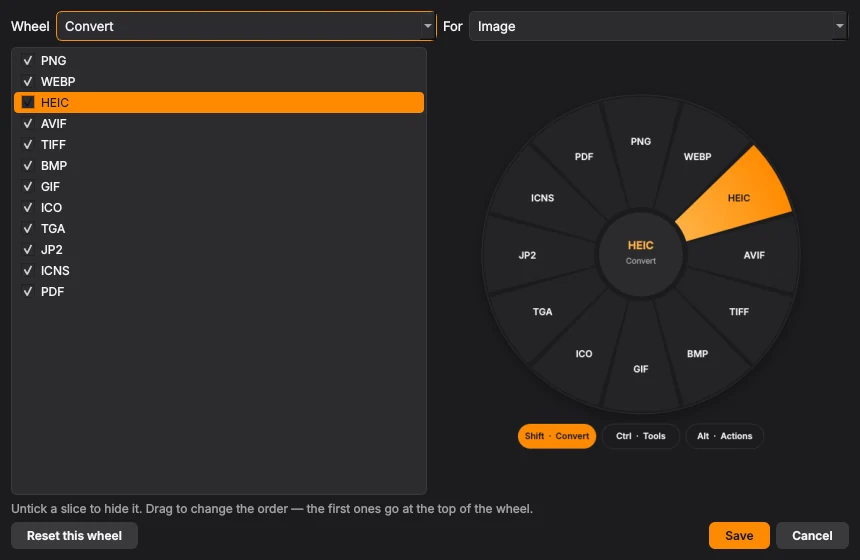
Shift opens Convert, Ctrl opens Tools, Alt opens Actions. Scrolling the mouse wheel works too.
Drop it on a slice
The result is saved next to the original. Drop in the middle to cancel; the original is never changed.
Not dragging? Select files and press Ctrl + Alt + Space, or right-click and choose DragWheel.
Three wheels, one gesture
Each wheel only shows what makes sense for the file you're holding, in a single ring.
New in 1.2.2
Read QR codes straight off your screen, turn photos of documents into clean scans, and Send to phone redone with new ways to share. Full changelog.
- Read QR code on screen
- Every QR code on your screens lights up. Click one to open the link, copy the text or copy the Wi-Fi password. Pictures get a Read QR code action too, all offline.
- Fix alignment
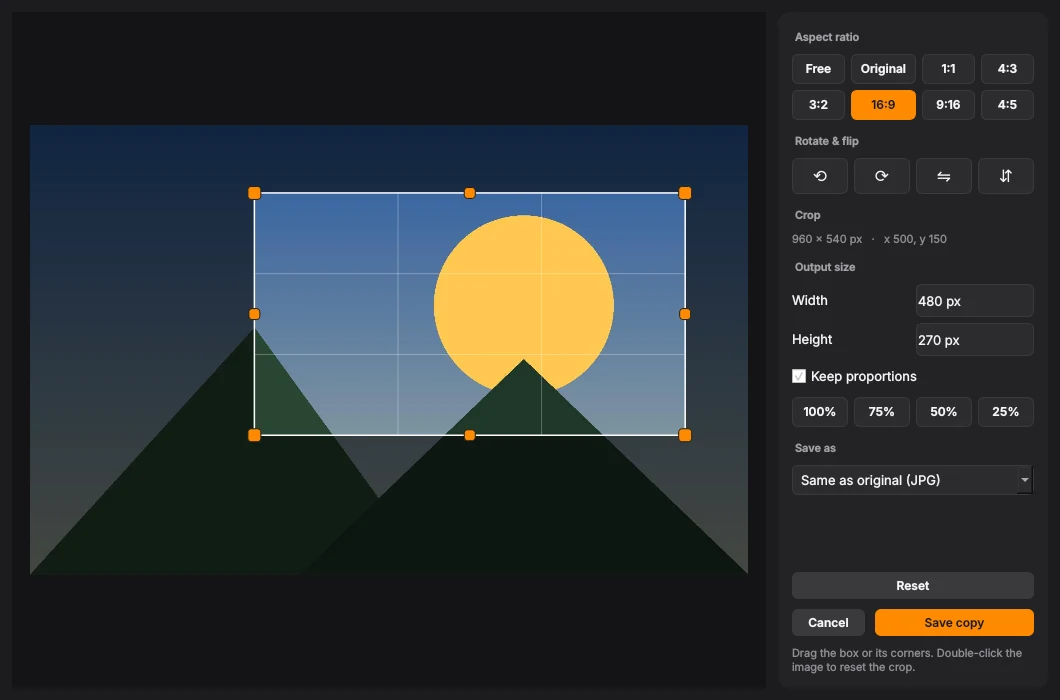
- A document scanner for photos: DragWheel finds the page, straightens it and evens out the light. Drag the corners with a magnifier, rotate, and pick Clean, Original, Black & white or Grayscale with a live preview.
- Link from this PC
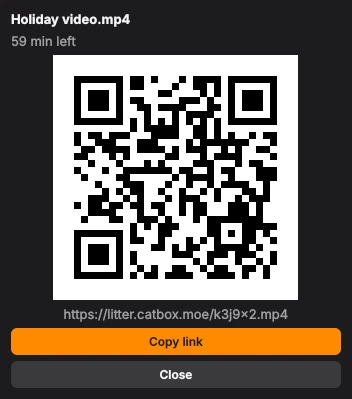
- Send a file to any phone on any network, straight from your PC through a free Cloudflare tunnel. Nothing is uploaded and the link ends when you stop sharing.
- Cloud link
- Share through your own OneDrive, Google Drive, iCloud Drive, Dropbox or Box: the link works even when your PC is off, and the copy is removed when its time is up.
- Send to phone, redone
- A cleaner window with icons, Back to pick another way, a QR code with a loading wheel, the same QR code again for a file that's already shared, and a choice of file services.
- Smoother with a video playing
- Settings and Send to phone open without making a Float stutter, Reopen on the Float menu, and videos paused overnight play again properly.
Also in 1.2.1
Your keys, your way: any key or combination opens a wheel, PDF to Word keeps the look of the page, and a fresh Settings.
- Any key, any way
- Give each wheel any key or combination, a mouse side button, or a key + click like Ctrl + right click. Open it while dragging, on the file under the mouse, or on the files you selected.
- PDF to Word that looks the same
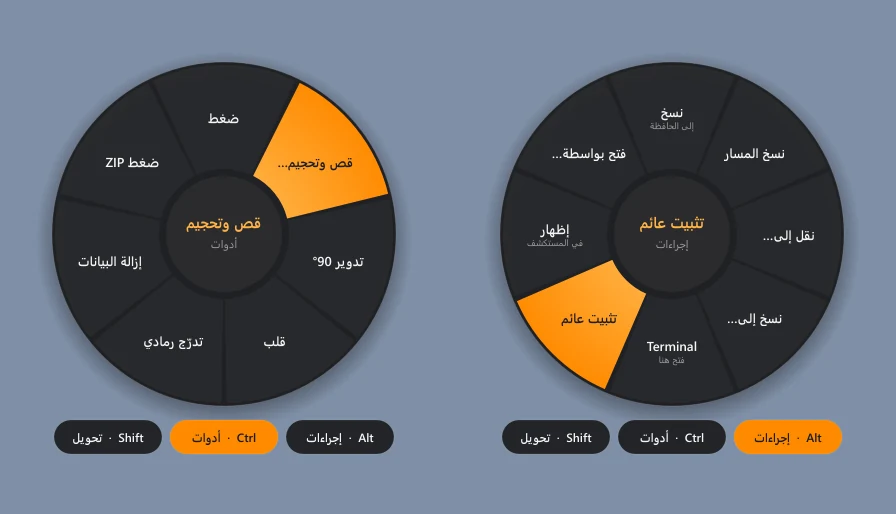
- Every line stays where it was, in the same font and size, tables become real Word tables, and Arabic is proper right-to-left text you can edit.
- File preview
- Peek at PDFs, Word, Excel, PowerPoint, e-books and more while you drag, with a press or only while you hold the key.
- New Settings
- Clear pages down the side, every option an on/off switch, and Settings Config to export, import or restore defaults.
- Six new themes
- Midnight, Ocean, Forest, Grape, Rose and Sand, each with its own accent colour, next to Light and Dark.
- Wheel sounds
- Nine sound styles: Classic, Soft, Glass, Bubble, Mechanical, Retro, Velvet, Crystal and Pulse, each with its own open, close, click and choose sounds. Listen before you pick, and set the volume.
- Wheel animations
- Different styles for opening and closing, six new ones (Zoom, Pop, Drop, Rise, Flip and Swirl), and a speed slider.
- Float
- Save only the links you want, Recently played, playback speed from 0.5× to 2×, and drag a web page or paste a file to play it.
- Your own slices
- Open files in any app from the wheel by picking the app. Auto Convert can overwrite the original, and Unblock clears Windows' download warning from files.
Also in 1.2
The biggest update yet: PDF signing, a mini player for YouTube links, sending files to your phone, and a wheel you can make your own.
- PDF tools
- Sign with a drawn or dropped signature on one page, every page or a range. Arrange pages by dragging, watermark with a live preview, page numbers, grayscale, unlock.
- Float, the mini player
- Copy a YouTube link and play it on top of your work, live streams included. Quality menu, repeat and loop, saved links, subtitles and keyboard media keys.
- Send to phone
- Quick Share, Bluetooth, or a temporary internet link with a QR code that lasts 5 minutes to 72 hours.
- Make it yours
- Choose and reorder slices with a live preview, save presets and chains, add your own commands, and choose where results go.
- Everyday
- Recent results, a queue for many files, Undo, watch folders, a command line, quick preview with Space, wheel animations and sounds.
- Comics, fonts and more
- CBR and CBZ comics, font conversion and install, subtitles in and out of videos, split and join big files, password-protected ZIP and 7Z.
Popular conversions on Windows
The things people do most with DragWheel, each one drag, tap and drop. Everything stays on your PC.
- Convert HEIC to JPG
- PDF to Word (DOCX)
- MP4 to MP3
- WebP to PNG or JPG
- Compress a video
- Compress a PDF
- Merge PDFs
- Sign a PDF
- Remove an image background
- Scan a document from a photo
- Read a QR code on screen
- Word or PowerPoint to PDF
- Excel to CSV
- MOV to MP4
- Video to GIF
- Make a ringtone
- Transcribe a video to subtitles
- Zip or 7Z a folder
- Send a file to your phone
DragWheel for Browser
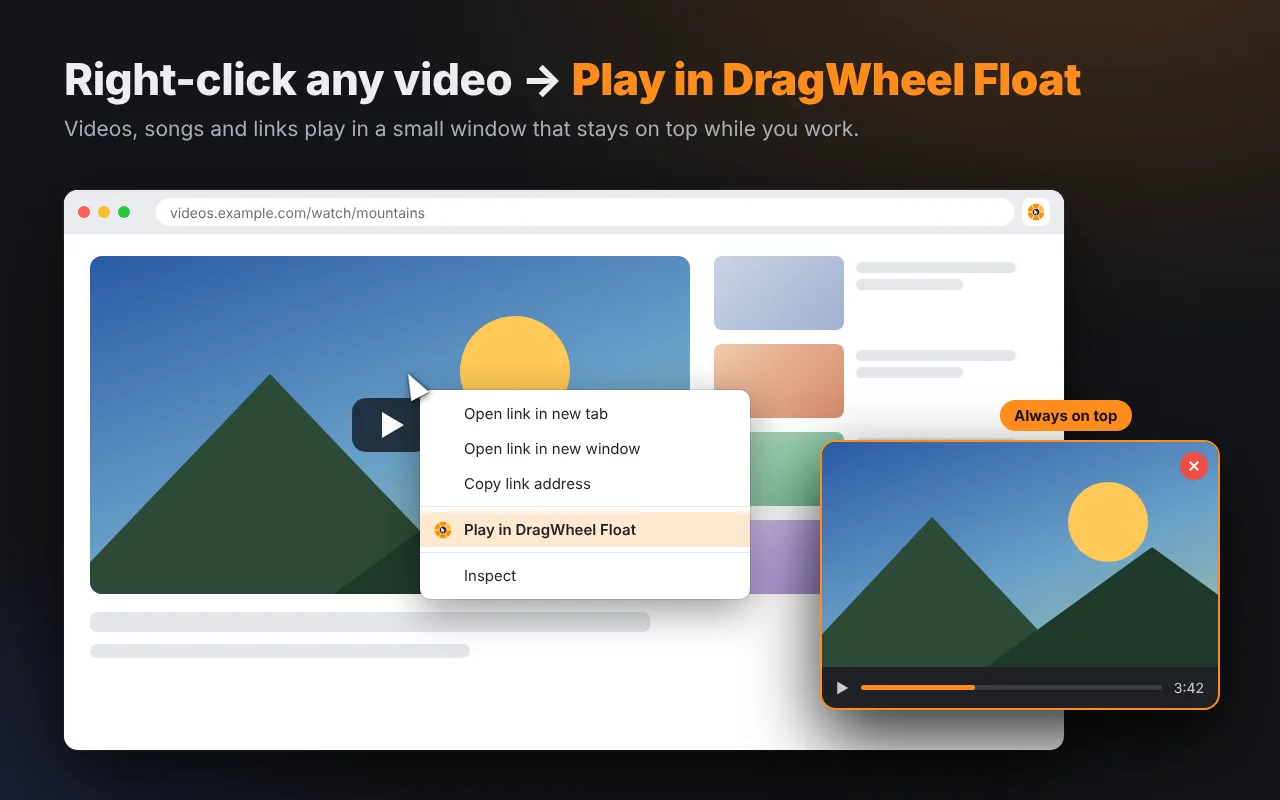
A free extension for Chrome, Edge, Brave and Firefox. Right-click any video, song or link and choose Play in DragWheel Float, or right-click a picture and save it as PNG, JPG, WebP, AVIF, ICO, PDF and more. The work is done by DragWheel on your PC, so install DragWheel for Windows first.
Install DragWheel
Version 1.2.3 or newer, and open it once. It connects the extension by itself.
Add the extension
Firefox Add-ons for Firefox. Chrome, Edge and Brave: coming soon to the Chrome Web Store (until then: DragWheel tray icon → Add DragWheel to your browser…).
Right-click and go
Play in Float, or save pictures in any format. The toolbar button plays the page you're on.
Nothing is collected or uploaded. See the extension's privacy policy.
What it converts
Everything runs on your PC with built-in ffmpeg, MuPDF and Pillow. No account, no upload, no telemetry.
- Images
- To PNG, JPG, WebP, HEIC, AVIF, TIFF, BMP, GIF, ICO, TGA, JPEG 2000, ICNS, PDF. Opens PSD, SVG, DDS, QOI and more. Fix alignment of document photos, remove backgrounds, read QR codes.
- Video
- To MP4, MP4 H.265, MOV, MKV, WebM, AVI, WMV, GIF, or MP3 and M4A audio. Compress, trim, 720p, mute, snapshot, merge.
- Audio
- To MP3, M4A, WAV, FLAC, OGG, Opus, AIFF, WMA, AC3. Trim, normalize, mono, fade, merge.
- To DOCX, PNG, JPG, TXT, Markdown, HTML, CBZ. Sign, arrange pages, watermark, page numbers, compress, split, extract, password-protect, merge.
- Office files
- Documents, slides and spreadsheets to PDF and each other, plus CSV, JSON and Markdown tables.
- Archives and folders
- To ZIP, 7Z, RAR, TAR, TAR.GZ, TAR.BZ2, TAR.XZ, or extract them.
- Subtitles, e-books and comics
- SRT, VTT and ASS subtitles, added to or taken out of videos; EPUB, MOBI, FB2 and XPS to PDF, text or images; CBR, CBZ and CB7 comics to PDF and back.
- Fonts
- TTF, OTF, WOFF and WOFF2 to each other, or install a font with one drop.
- File actions
- Copy, move, copy path, rename in bulk, checksum, shred, send to phone (Quick Share, Wi-Fi, Bluetooth, internet, cloud link), and Float: pin a file or play a link on top of every window.
Word, PowerPoint and Excel conversions use Microsoft Office if it's installed, otherwise LibreOffice. Creating RAR files needs WinRAR.
Questions
Is DragWheel free?
Yes. It's free and open source under the MIT License. If it saves you time, you can buy the author a coffee.
Does it upload my files?
No. Every conversion happens on your PC. DragWheel only goes online for things you ask for: the update check (you can turn it off), one-time downloads you agree to, links you play, and Send to phone: Internet link uploads the file you pick to a temporary file service, and Cloud link copies it into your own cloud. See the privacy policy.
How do I convert HEIC to JPG on Windows?
Drag the photo, tap Shift and drop it on JPG. The JPG is saved next to the original. Many photos at once work the same way, all offline.
Can I convert PDF to Word offline?
Yes. PDF to Word keeps the look of the page: same fonts and positions, real tables, and Arabic as right-to-left text you can edit. Nothing is uploaded.
Can it read a QR code on my screen?
Yes. Choose Read QR code on screen from the tray or the desktop's right-click menu and click the code. Open the link, copy the text, or copy a Wi-Fi password.
Is this a Tangerine for Windows?
That's the idea. DragWheel brings the drag-tap-drop gesture of Tangerine for Mac to Windows, with its own set of tools and actions.
Why does Windows warn about the installer?
The installer isn't code-signed yet, so Windows warns about new downloads. Every release is built by GitHub Actions from the public source code. If Edge holds the download, choose … → Keep, then Show more → Keep anyway. If SmartScreen warns when you run it, choose More info, then Run anyway.
How do updates work?
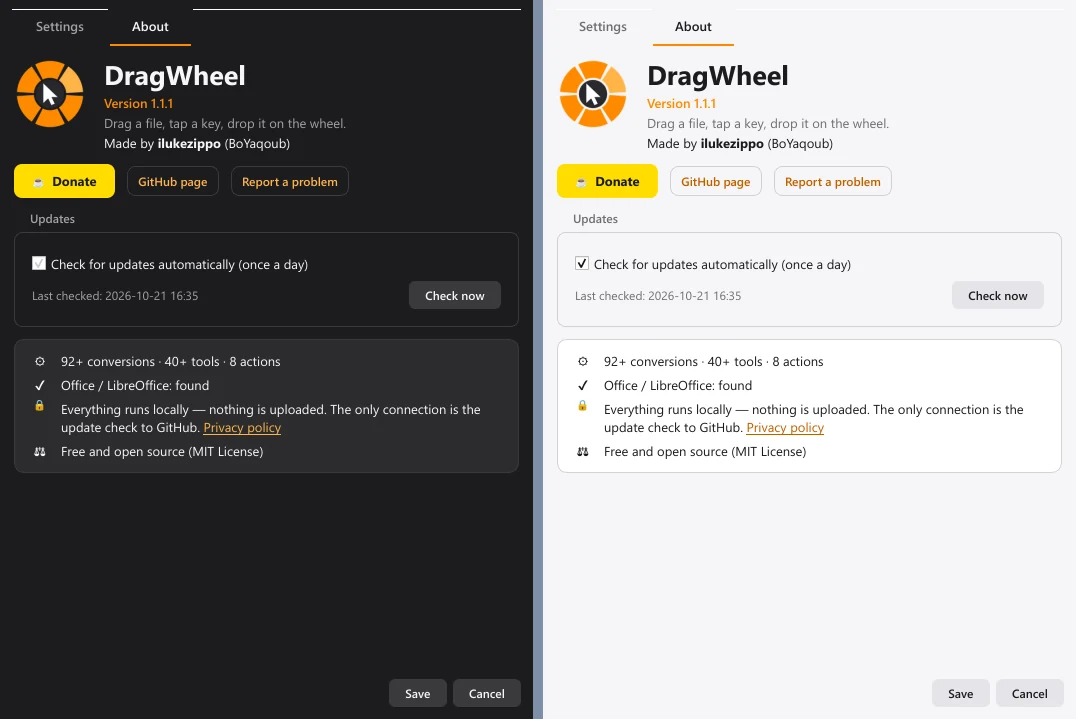
DragWheel checks GitHub once a day and offers Download & install when a new version is out. Your settings are kept.